Control panel access
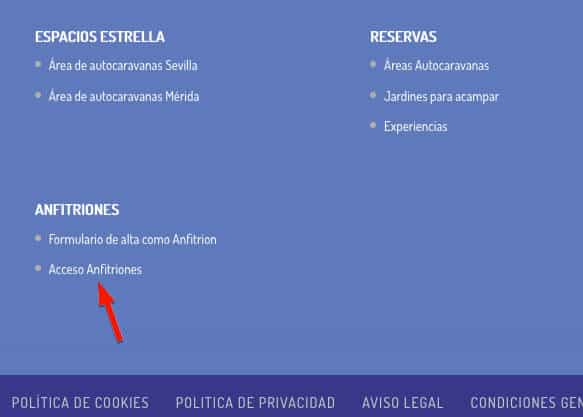
Para acceder al panel de control de anfitrión con el usuario y contraseña que usted indicó al darse de alta, diríjase o bien a la cabecera o al pié de página de areasautocaravanas.com and click on «Hosts access» where we indicate in the image with a red arrow:

Once you have clicked on the link, the following window will appear where you must enter your access information:
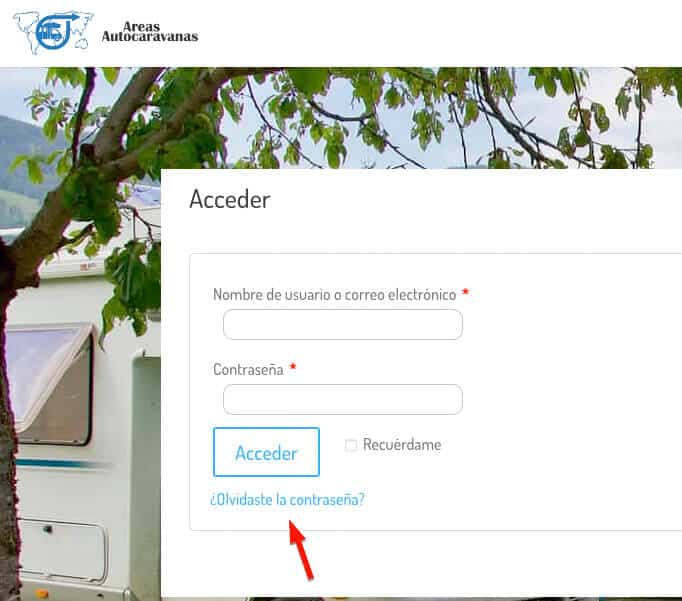
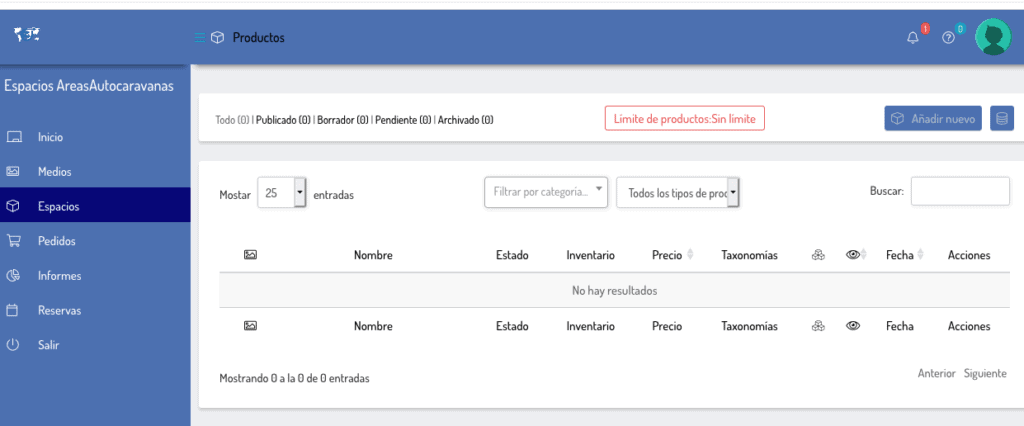
Una vez escritos, pulse sobre el botón «Acceder», y ya estará dentro de su PANEL DE CONTROL como Anfitrión de areasautocaravanas.com . Dentro de este panel usted puede ver las reservas o pedidos recibidos, el calendario de reservas recibidas, informes sobre los ingresos y el apartado «Espacios» donde poder dar de alta y configurar su espacio, jardín o experiencias.
Crear un Espacio para autocaravanas
Haciendo clic sobre espacios y a continuación «Añadir uno nuevo» comenzamos a crear su espacio o jardín para ofrecerlo a sus clientes. En caso de tratarse de una experiencia, pulse sobre este enlace.
1- Seleccione en el desplegable y elija » Reservas para Espacios o Jardín»
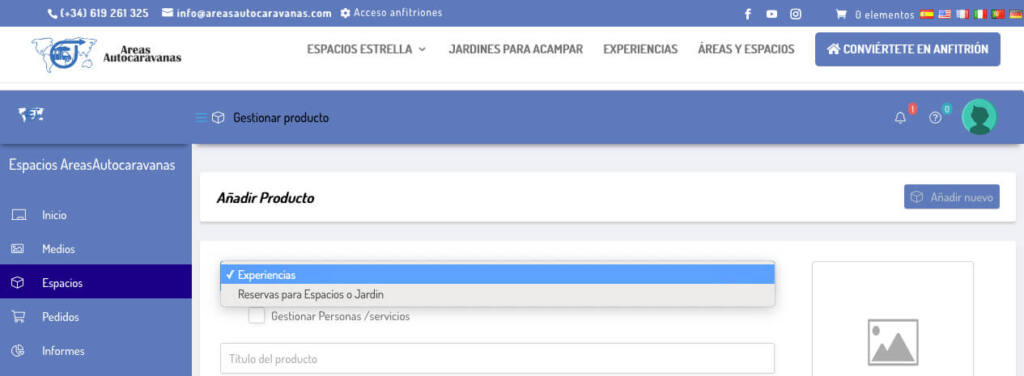
2 – Escriba en título del producto el nombre de su espacio con la siguiente estructura: Área autocaravanas (denominación o área, Provincia), o Espacio autocaravanas (denominación o área, Provincia), o Jardín para Acampar de (denominación, Provincia).
For example: Espacio autocaravanas El Dormilón, Sevilla
3- Escriba una descripción corta de su espacio o jardín . This description is below the price and before the service icons, it is the one that is most visible. As its name says, it is short, so be brief.
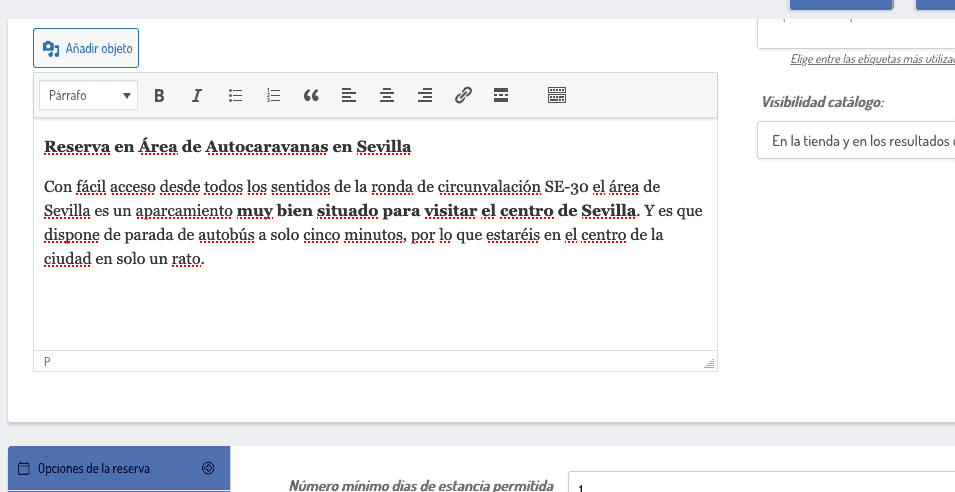
4 – Long description (Description): Here it is usually used to count the services around, prices per person, season, closing dates, etc. If you have doubts, you can look at other areas already created to get ideas.
5 – The Category : Elija haciendo clic sobre la casilla si se trata de un Espacio para autocaravanas o Jardines para acampar. Puede marcar las dos opciones si el precio de uno como el otro coinciden completamente. En caso de tener precios diferentes y/o servicios distintos, recomendamos crear dos diferentes: un espacio para autocaravanas y un jardín para acampar haciendo una distinción en el nombre para no confundir al cliente final.
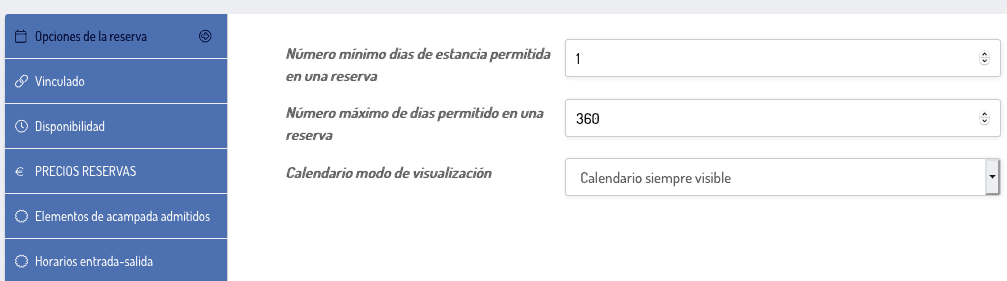
6- Reservation options: Elija el número de días mínimos y máximos por reserva y el tipo de calendario a mostrar en la parte visible, recomendamos elegir «Calendario siempre visible».
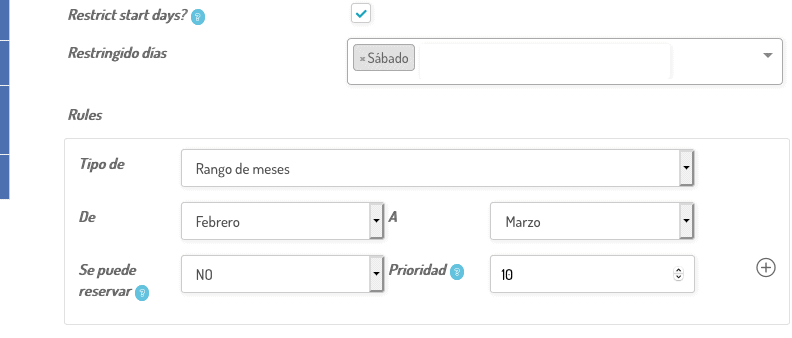
7 – Availability: The number of places is indicated here available to reserve per day, how far in advance you accept reservations, if you want to restrict days to start a reservation, (for example in areas with a lot of traffic on weekends, do not allow them to start on Saturday to force clients to reserve on Friday night, by the way, if you decide to do so, write a review in the long description).
También están las reglas (Rules) dónde se puede impedir que se realicen reservas, por ejemplo porque cierran por vacaciones. Puede realizar restricción por: Intervalo de fechas personalizados, Rango de meses, Rango de semanas, rango de días. Abajo a la derecha hay un (+) que haciendo clic sobre el puede añadir más de una regla.
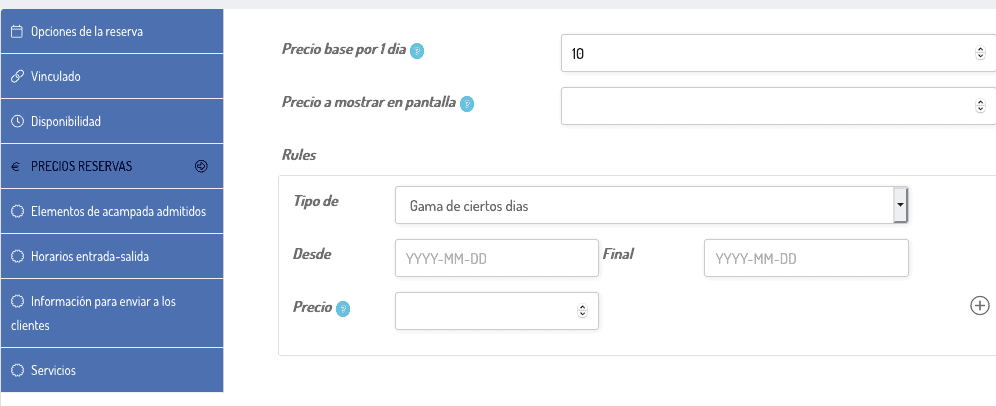
8- Reserve prices
- Base price for 1 day: Precio estándar para reservar una plaza
- Precio a mostrar en pantalla: This case is when you want to show a specific price on the screen that can vary if there are groups and other options. It is mainly used in group experiences (for example, the price per person is shown but the minimum reservation is for four people)
- Rules: For cases where the price changes depending on the date, with the options of Range of certain days, Range of months, Range of weeks, range of days. Like the previous rule, at the bottom right there is a (+) that by clicking on it you can add more than one rule.
background-motorhomes_web
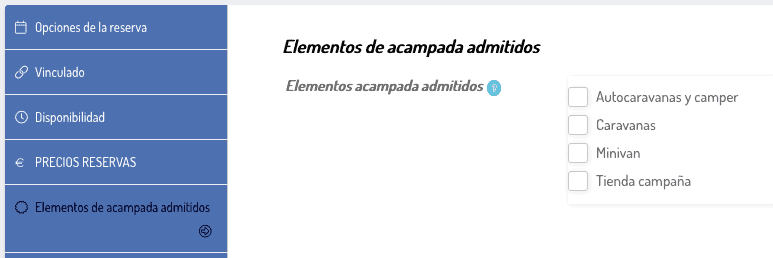
9- Camping elements admitted: Marque la casilla con los elementos de acampada que admite y aparecerán en su espacio en forma de icono
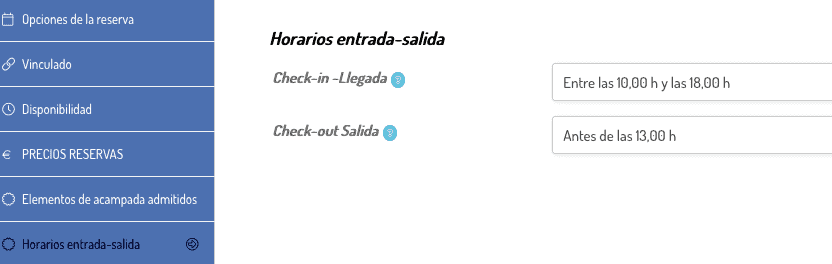
10 – Entry-Exit times (check-in or arrival, Check-out or departure). Write the times you allow to enter and the maximum to leave. If you don't care about the schedule, you can leave it blank.
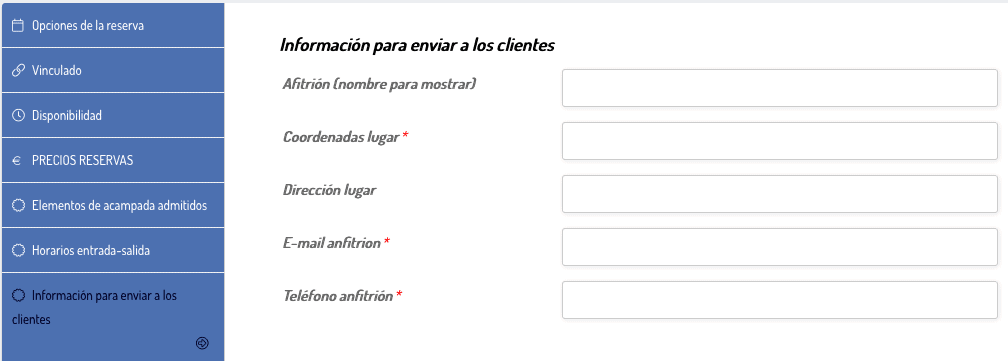
11- Information to send to clients – This section is important since it is the data that is sent to clients by email when they make a reservation. The Coordinates, email and telephone number are mandatory and the platform will not allow you to save the changes if you do not fill them out.
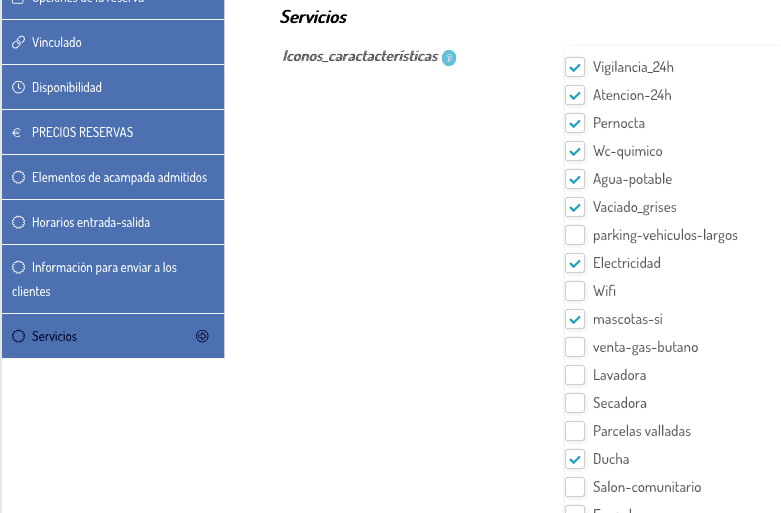
12- Services – iconos de los servicios que dispone el espacio, área o jardín. Marcando la casilla correspondiente aparecerá el icono asignado en su espacio antes del calendario. Este apartado es importante ya que los clientes se fijan mucho en estas cosas antes de reservar.
13- Manage People or Services
First you must check “Manage People/services” in the box between the Reservations for Spaces or Garden/Experiences drop-down menu and the Title for the space.
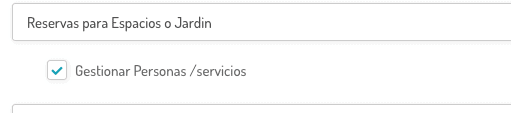
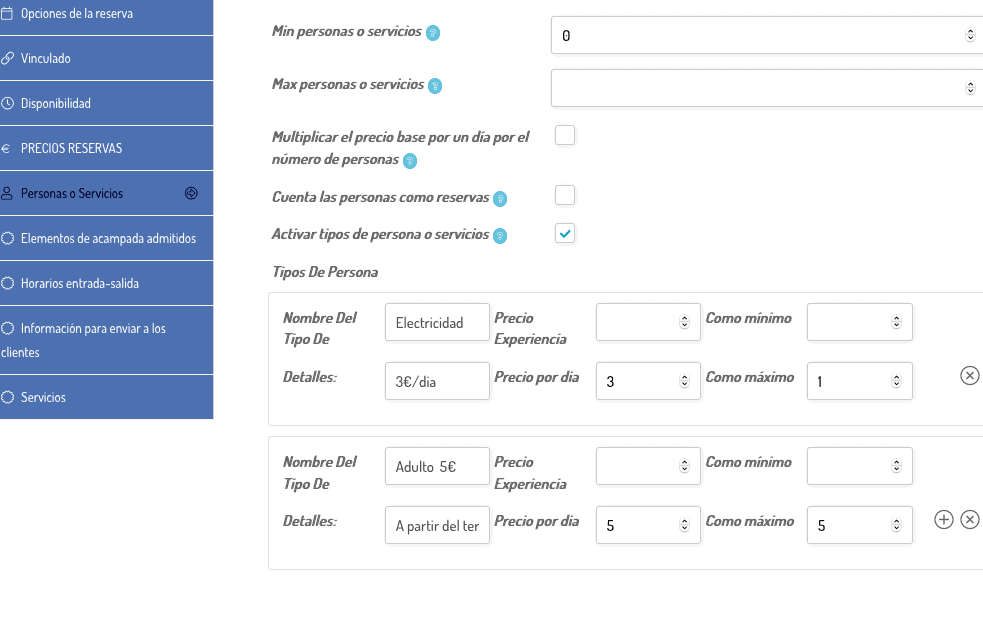
And once marked, the tab to configure People or Services will appear further down on the left side. If it is not mandatory to choose an option, the "Min people or services" section, mark 0. The "Max people or services" section, except in cases of experiences, it is advisable to leave it blank.
Multiply the base price for one day by the number of reservations, as well as Count people as reservations It is usually used in Experiences, not in spaces and gardens. Leave it unchecked.
Activate types of people or services: Marque esta casilla para poder crear opciones de cobro adicional como electricidad por dia, si cobra suplemento por remolque, por persona adicional, etc.
14 – Post featured and additional photos.
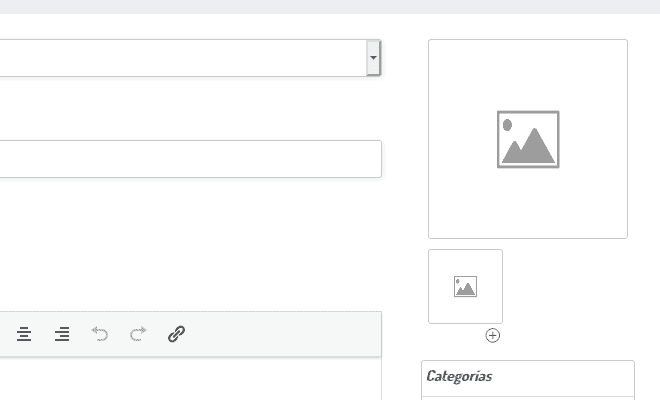
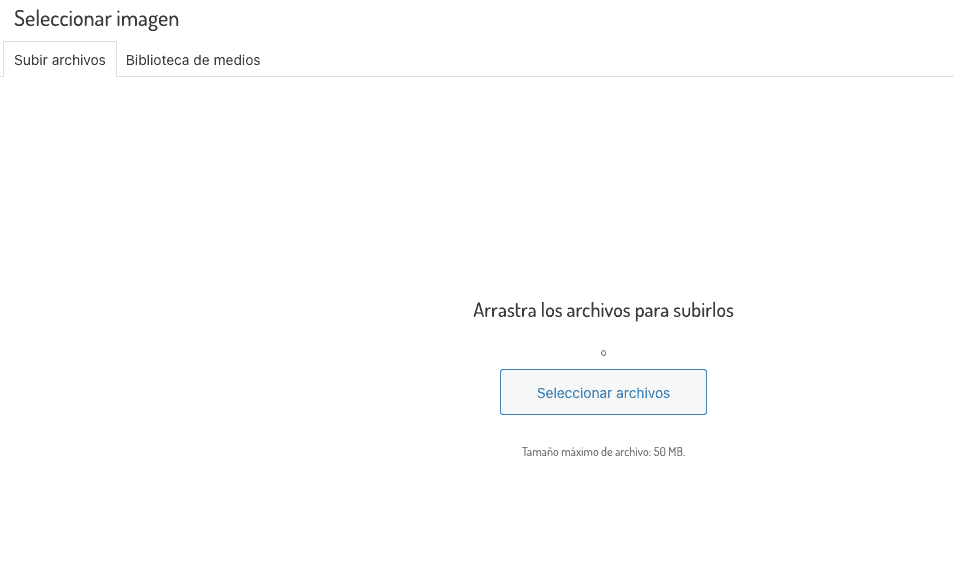
Clicking on the large icon with the little mountain will open "Select Image" from where you can drag the files to upload them or select from the button. Remember, photos must be in jpg or png.
Once the main photo is uploaded, click on the smaller icon below (with a little mountain too) to add additional photos. By clicking on the (+) I could add more photos.
background-motorhomes_web
Por último no olviden de hacer clic sobre el botón de abajo a la derecha PUBLICAR, para que salga su espacio o bien BORRADOR, si decide continuar más adelante.
- Todas las áreas serán revisadas por areasautocaravanas.com
- You are not allowed to place web links to other pages external to areasautocaravanas.com





0 comments